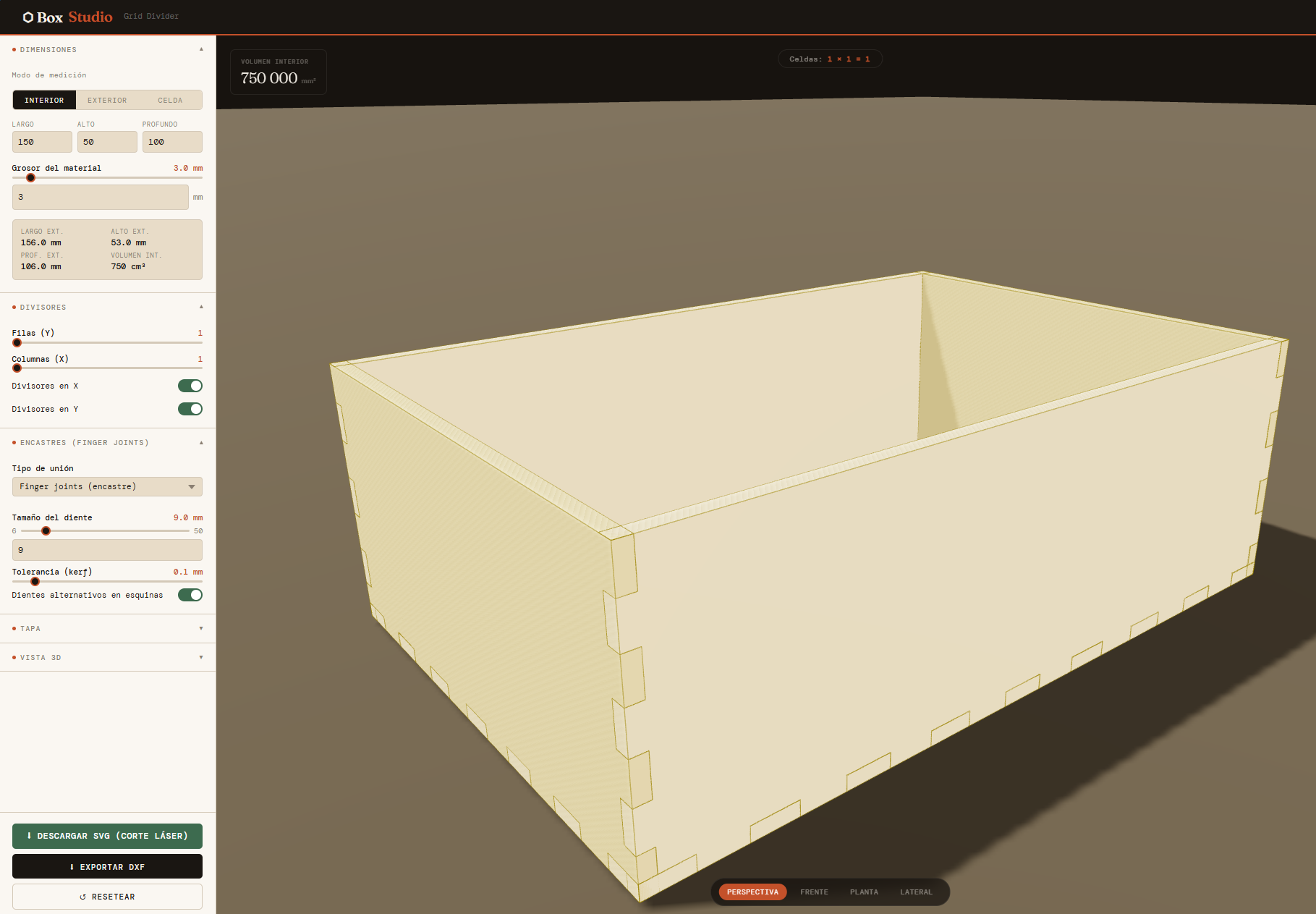
Design custom finger joint boxes with 3D preview, internal dividers, and hinge lid. Download SVG files ready for your laser cutter — no signup required.
Generate my box →Set width, height, depth and material thickness in millimeters or inches. Work with internal or external measurements depending on your needs.
Finger joints are generated automatically with the correct size and distribution. All pieces interlock perfectly without glue or fasteners.
Visualize your box in 3D before cutting. Rotate, zoom, and use the exploded view to verify all pieces fit correctly.
Download the SVG file with all pieces laid out, ready to import into LightBurn, RDWorks, LaserGRBL or any laser cutting software.
Add a grid of dividers to create compartments. Perfect for organizing tools, electronic components, jewelry, or hobby supplies.
Generate flat or pin-hinge lids. The hinge mechanism is cut directly into the walls — no extra hardware needed.
Compensate for the material removed by your laser beam. Adjust kerf value for tighter, press-fit finger joints.
Design by internal dimensions, external dimensions, or by cell size for grids. The generator adapts to your workflow.
Open the tool and start designing immediately. No account, no subscription, no limitations. Completely free forever.
The SVG files generated by Box Studio work with any software that imports standard SVG format.
Custom boxes for Arduino, Raspberry Pi, PCBs, and other electronics projects.
Workshop tool organizers, drawer inserts, hobby supply boxes with custom compartments.
Elegant boxes with divider grids for jewelry, watches, or collectibles display.
Custom-sized gift boxes with hinge lids, cut from wood, acrylic, or MDF.
Board game component organizers and card game storage with perfect-fit compartments.
Educational and workshop projects using MDF, plywood, acrylic or cardboard.
Enter width, height, and depth of your box. Select the material thickness — typically 3mm for MDF or 4mm for plywood.
Choose a lid type, add internal dividers, adjust the laser kerf, and set the finger size for your material.
Review your box in the interactive 3D viewer. Use the exploded view to verify all joints fit correctly before cutting.
Export the SVG file with all pieces laid out. Import it into LightBurn or your preferred laser software and cut.
A finger joint box (also called box joint) is a type of woodworking joint where the edges of two pieces have interlocking rectangular "fingers". It's the most common method for laser cut boxes because it provides a strong mechanical bond and self-aligns during assembly without needing clamps.
Any material your laser cutter can cut: MDF, plywood, acrylic, cardboard, balsa wood, and more. Simply measure the actual thickness of your material and enter it in the tool. Box Studio supports any thickness from 2.5mm to 9mm.
Kerf is the width of material vaporized by your laser beam during cutting. Typically between 0.05mm and 0.2mm depending on your machine, material, and settings. Compensating for kerf makes finger joints press-fit tightly without glue. Start with 0.1mm and adjust based on test cuts.
Yes. The SVG files generated by Box Studio are standard format and fully compatible with LightBurn, RDWorks, LaserGRBL, Inkscape, Glowforge, xTool Creative Space, and any other software that imports SVG.
Yes, Box Studio is completely free. You can generate and download unlimited boxes with no account, no subscription, and no watermarks. The tool is supported by ads.
The pin hinge is cut directly into the front and back walls of the box. It consists of a cylindrical barrel and a hole for inserting a metal pin (a piece of wire or rod). No external hardware or hinges are needed — everything is cut from your material sheet.
Yes. Box Studio supports a full grid of dividers (rows × columns). Each divider has slots that interlock with the other dividers and notches that slot into the walls from the top — no glue needed. Perfect for creating compartmented organizer boxes.
A good rule of thumb is 2-3× the material thickness. For 3mm MDF, fingers between 6mm and 9mm work well. Larger fingers are easier to cut on slower machines; smaller fingers look cleaner but require more precision.
No signup required. Open the tool and generate your first box in minutes.
Open Box Studio →